Note: This is all from the perspective of the GUI. Questions at the bottom.
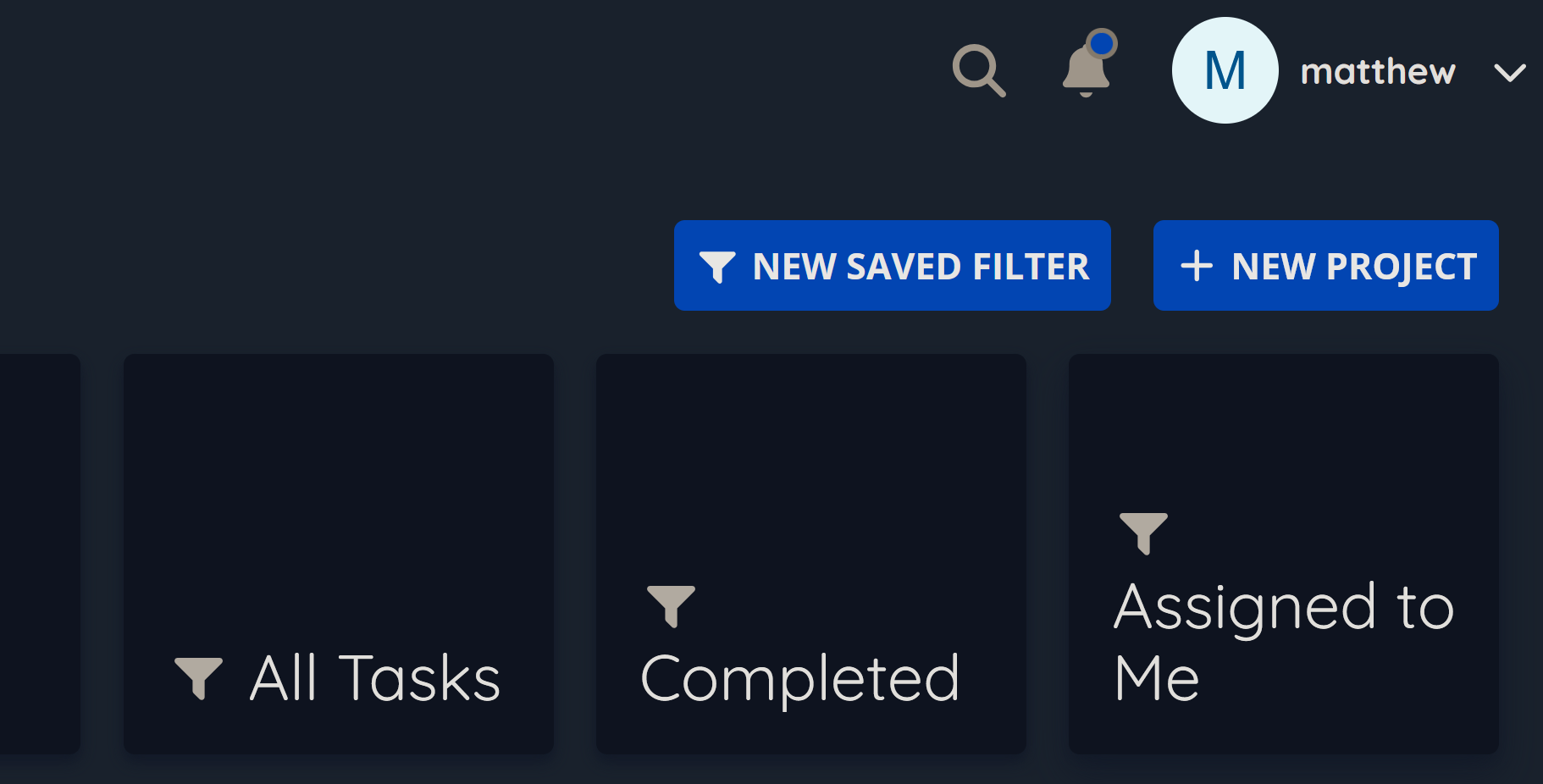
When configuring a Saved Filter, I had to dig around a bit to find the ‘New Saved Filter’ option. When I located by using the Project sidebar entry, I created a Saved Filter that showed all tasks, as a test.
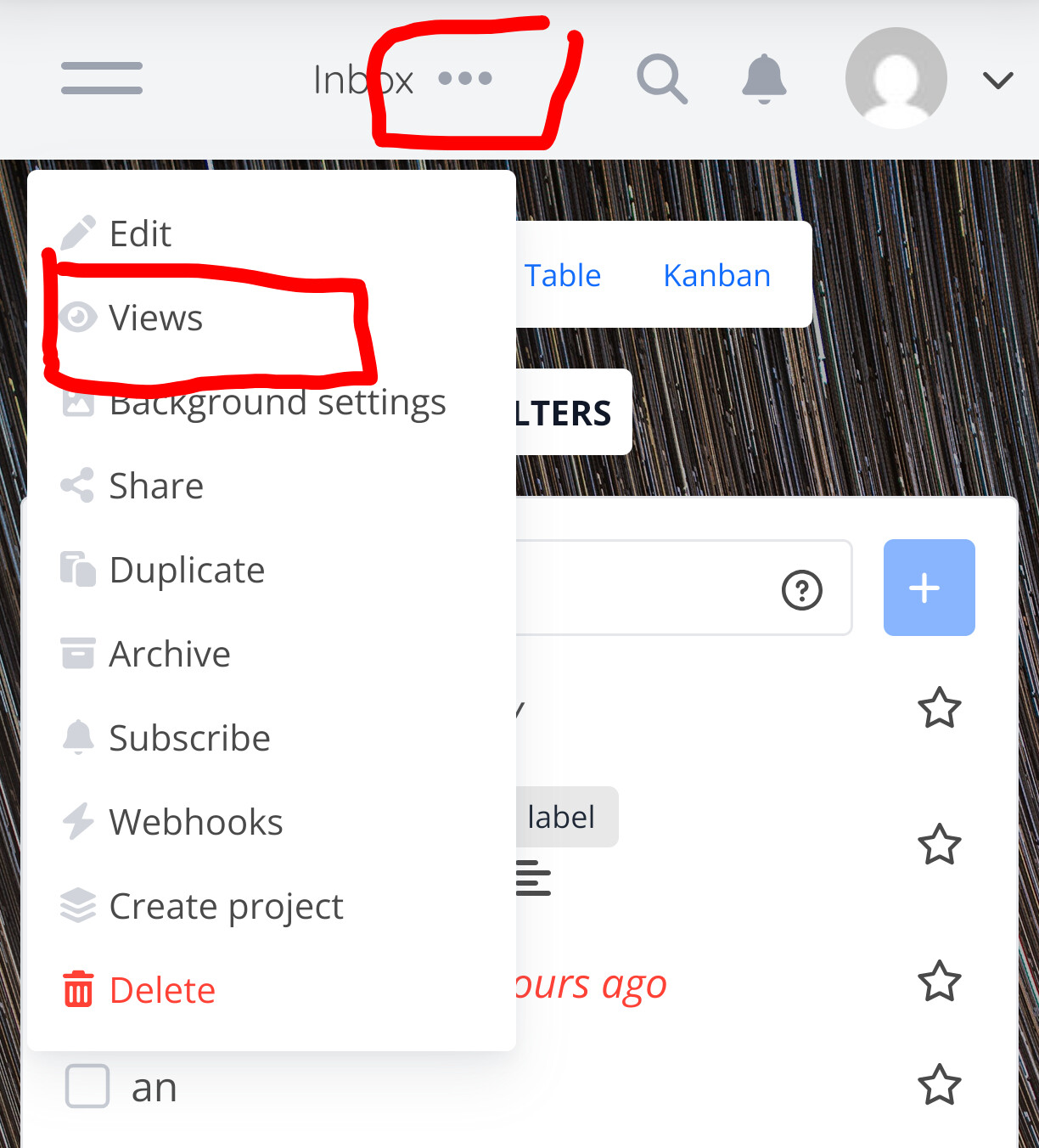
To create my second saved filter, I clicked the 3 dots to the right of my first filter looking for a ‘Duplicate’ option. This wasn’t an option, but I saw that ‘Views’ was an option. At this point I assumed that ‘Views’ was a synonym of ‘Saved Filter’, but the Views section did not include the previously created Filter.
So, I think I’ve learned that:
- Saved Filters are a type of project (since they’re created from and appear on the Project page)
- Saved Filters appear in the sidebar and are global
- Views are a different kind of object/function
- Views appear on individual Project Pages and in the List of Views subpage
- Editing or Adding the List of Views is not possible until the first Saved Filter has been created and the ‘Views’ menu item becomes available
- Views are non-global, by default, but once created become available within each Project, including Saved Filters
Is it intended that the 3 dot context menu associated with a sidebar Saved Filter does NOT offer a path to reviewing all Saved Filters and/or creating a new one?
Why is the path to reviewing all Views (and creating New Views) only available in the Saved Filters context menu?
Almost!
A view is independent of a filter. Each view is a way to present the tasks in a project, in either list, gantt, kanban or table form. It is tied to a project or saved filter, but they are specific to that project or saved filter. To make it more complicated, a view can also have a filter to narrow down what is shown in that presentation form.
yes, that’s only to edit that filter. Same as the three-dot menu on projects.
It should be available on the projects edit as well. If it’s not there, that’s a bug. Can you share a screenshot of where you expected it and where it is missing?
Oh yeah. That’s interesting. I had not realized that the Create View dialogue was narrowly scoped to creating filtered versions of the existing 4 views. That helps me understand them better.
It should be available on the projects edit as well. If it’s not there, that’s a bug. Can you share a screenshot of where you expected it and where it is missing?
I only found the ‘Views’ context menu option (in the 3 dots of a saved filter) when I had forgotten where I had created my saved filter and was trying to add a fresh one.
Which is to say, that I didn’t have an expectation of where the correct gui path was for accessing the /settings/views at that time. I was mostly saying, “I expected X in this context menu, but I don’t see it. I do see Y tho, and I’m not sure I understand why.”.
That being said, I don’t think I’ve found anywhere else in the UI to access /settings/views.
I’m not certain, but I think I’m parsing your question correctly when I think you’re saying that I should see that button/path on the /projects page? If so, I currently only see ‘New Saved Filter’ and ‘New Project’ buttons in the upper right.
Since views are a per project setting, you can only acces them from the project context menu next to the title:
I admit it’s a little confusing why they’re not available from the context menu in the navigation sidebar, I’m sure we could change that.