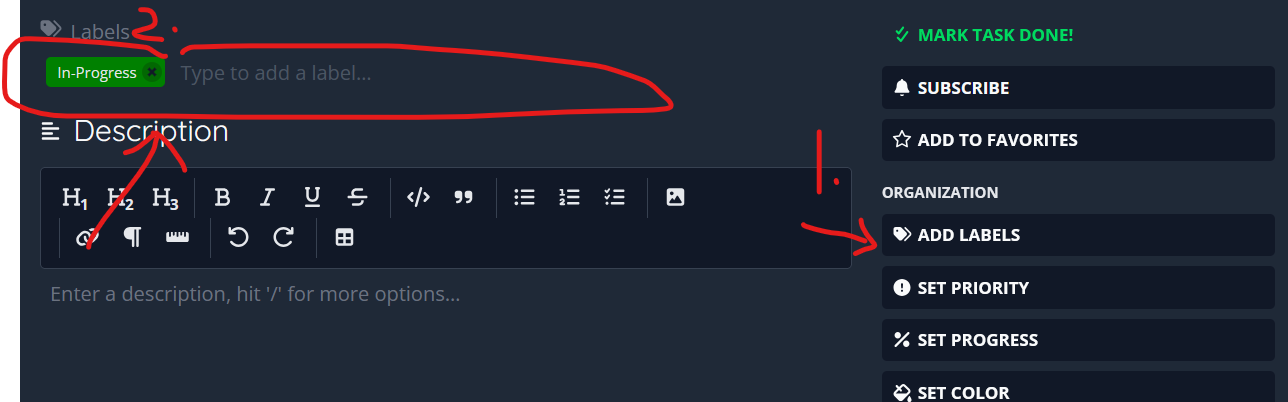
As you can see in the screenshot, when attempting to add a label to a card, you have to type to search for a label. My suggestion is that once you click on text field area of “type to add a label”, it will show all available/recently used/ or frequently used labels. Even though I have under 10 labels, for the life of me, I can’t remember them when I need them!
1 Like