Thoughts about feature ‘Instant task capture with a global hotkey’
IMHO there should be no UI in your app that duplicates what Vikunja frontend already has - even title/description inputs.
Reason is the user might want to add due date/reminders/related tasks right away. As the time goes you’re going to quickly find yourself basically copying the Vikunja’s task details view.
So why not just add little improvements to Vikunja frontend itself?
Task detail page can have URL parameter called ‘new‘, so that when user opens URL like {BASE_URL}/tasks?new=true the frontend does following:
- creates a new empty task with title ‘fast TODO‘ (required) in default project;
- gets ID of newly created task;
- Navigates browser to {BASE_URL}/tasks/{new_task_id}
- erases title (fast TODO → blank)
- focuses user input on title input
This way user has ability to utilize any keyboard shortcuts there are as well as rich text editor keyboard shortcuts right away.
This approach also does not require any keyboard shortcuts. Even me knowing lots of different keyboard shortcuts on my OS I find it unpleasant to learn a new shortcut especially if all the easy ones are already occupied.
That’s why I think it should be regular script wrapper that you can quickly type in Windows Start/Spotlight and click enter - users can name it whatever they (e.g. TODO). So in most cases it’s as easy as “Command (\⌘) + Space + TOD… + Enter”.
Now talking about the script that should be executed - it should just open Vikunja’s Progressive Web App (PWA) on URL “{BASE_URL}/tasks?new=true”.
So really what I think the app should be doing is registering system shortcut that can be opened from Windows Start/Spotlight and maybe additionally presenting options to configure PRE/POST actions, like calling a script to start speech-to-text input.
Thoughts about other features
I agree those easy keyboard-based navigation options are really-really useful, but I am strong believer they must be implemented in Vikunja frontend (either by default or optional in settings).
Any page in Vikunja’s frontend can be opened throught PWA - all we need is app that registers OS shortcuts each opening a page for whatever user wants:
- quick new task;
- projects list;
- upcoming tasks list;
- recent tasks
Rough Proof Of Concept
My current setup involves use of Windows .bat scripts to open Vikunja PWA on different URL paths without described changes to frontend code itself - those are going to make things much faster and safer.
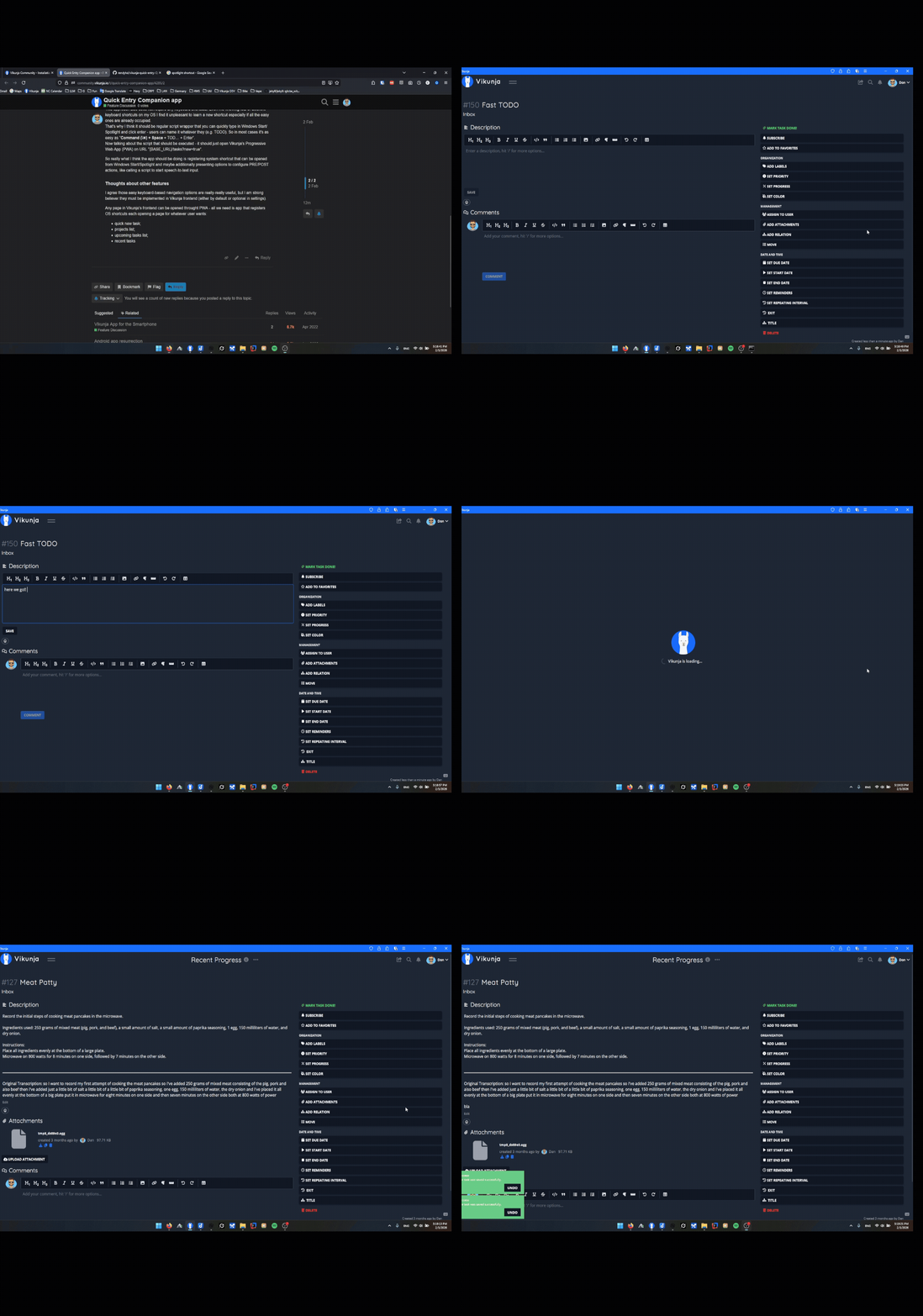
This one just creates empty task in Vikunja through API and opens FirefoxPWA at the URL of newly created task, then immitates keyboard shortcut that focuses on task description (I guess not there in Vikunja frontend but can be easily added), then immitates shortcut that starts speech-to-text recording in other app (Whispering).
This is just to showcase what that would roughly look like, now design suggested above involving new URL parameter and registering OS shortcuts makes much more sense and should be definitely more robust (no script waiting for PWA to open), secure (no dealing with API keys), error-prone and minimalistic.
The other OS shortcut I call (Recents) just opens a page with view configured to show recently edited/created tasks further elaborating the fact that anything can be opened quickly through PWA and if something is lacking - get into frontend code and add it. Here for example my custom code just always focuses on first task in table view so I can navigate between tasks using Shift or Shift + Tab.
Open In new Tab to see bigger picture.