I’d be open for PRs adding more shortcuts. If there is a vote for more specific shortcuts we might add them to the roadmap as well.
Great. That’s encouraging to hear. I’m not a programmer and cannot make pull requests (assuming that is what PR means). I’d be happy to add suggestions for shortcuts that I’m personally missing in Vikunja though. Would that be helpful or is there another way someone like me can help? The ones above are the most important for me.
Sure, that would help. Voting for the features you’d like here in the forum is another way to make your requests heard.
I liked the top post, assuming that is what you mean by voting for the feature. I see some people replying here in the thread with a +1 which I assume means voting too, but I don’t think their counted.
EDIT: I see the vote button now.
You can already use
Ctrl+Kto open quick actions which allow you to create a task with quick add magic.
Sorry, how exactly is this done? I press CTRL+K and the command dialog opens, but I have no idea how to create a new task from there.
Please provide screenshot of command dialog
If you have the quick actions open, just type “new task” (or click on the entry in the list), press enter, then type the task title, press enter again.
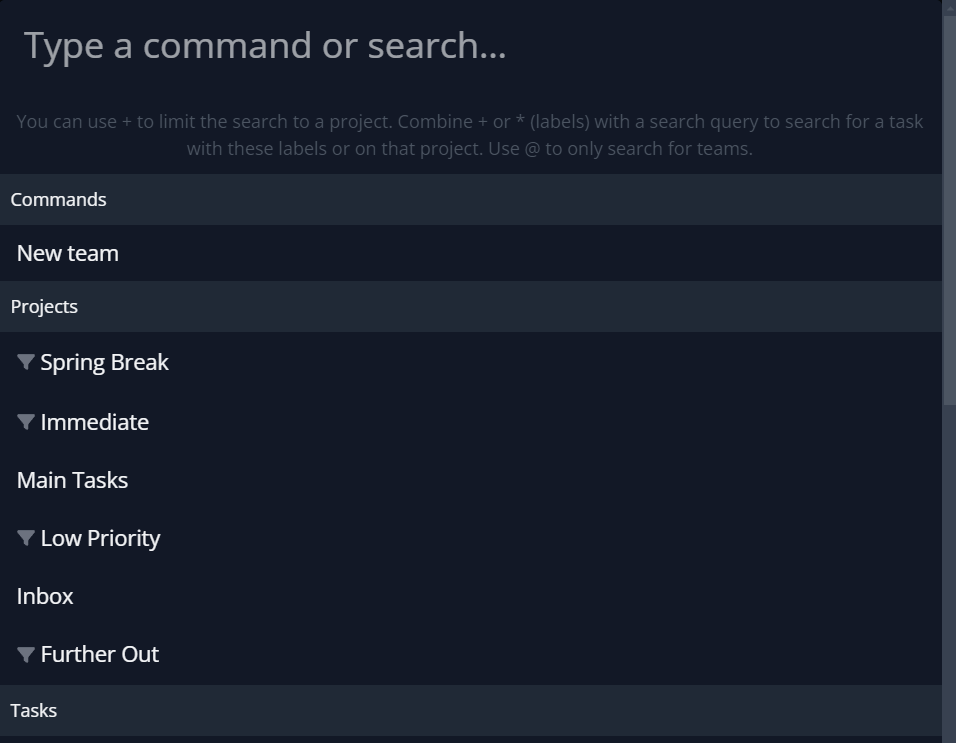
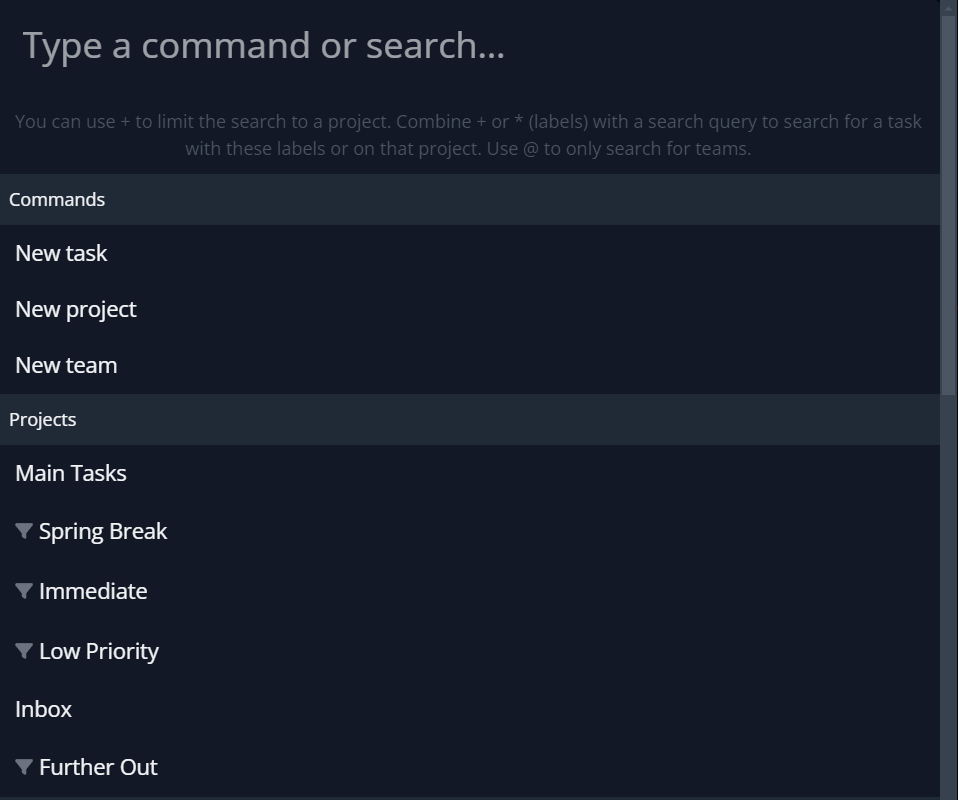
Yes that’s right. I remember fixing it on my local instance. That’s a bug.
Off-topic though
It is, because each task needs to be part of a project.
I would propose this as a solution (which would need to be implemented):
- If you’re in a project, create the new task there - if you have permission to do so
- If not, use the project which was set via quick add magic
- If none was set via quick add magic, use the default project
In any case, show the new task action always.
Couple of ideas on the topic:
- As far as I can tell there isn’t a quick way / shortcut to directly assign a task to yourself… If that’s correct could this be done in the Kaban view with something like Shift + Click?
- Also filtering shortcuts would be great, for example to quickly filter cards assigned to you. I know you can create custom views/projects based on filters but still if would still be useful to have a shortcut to trigger a filter on and off when browsing through projects.
A shortcut to show the shortcuts would aid in discoverability/learnability of the shortcuts.
I note you can’t press escape to dismiss the shortcuts help as well, so you’re forced to use the mouse in order to interact with the shortcuts! Kind of defeating the muscle memory relating to staying on the keyboard, as is my intent.
I’ve just yesterday added pressing ? to bring up the shortcut menu. Same for pressing escape to close the modal.