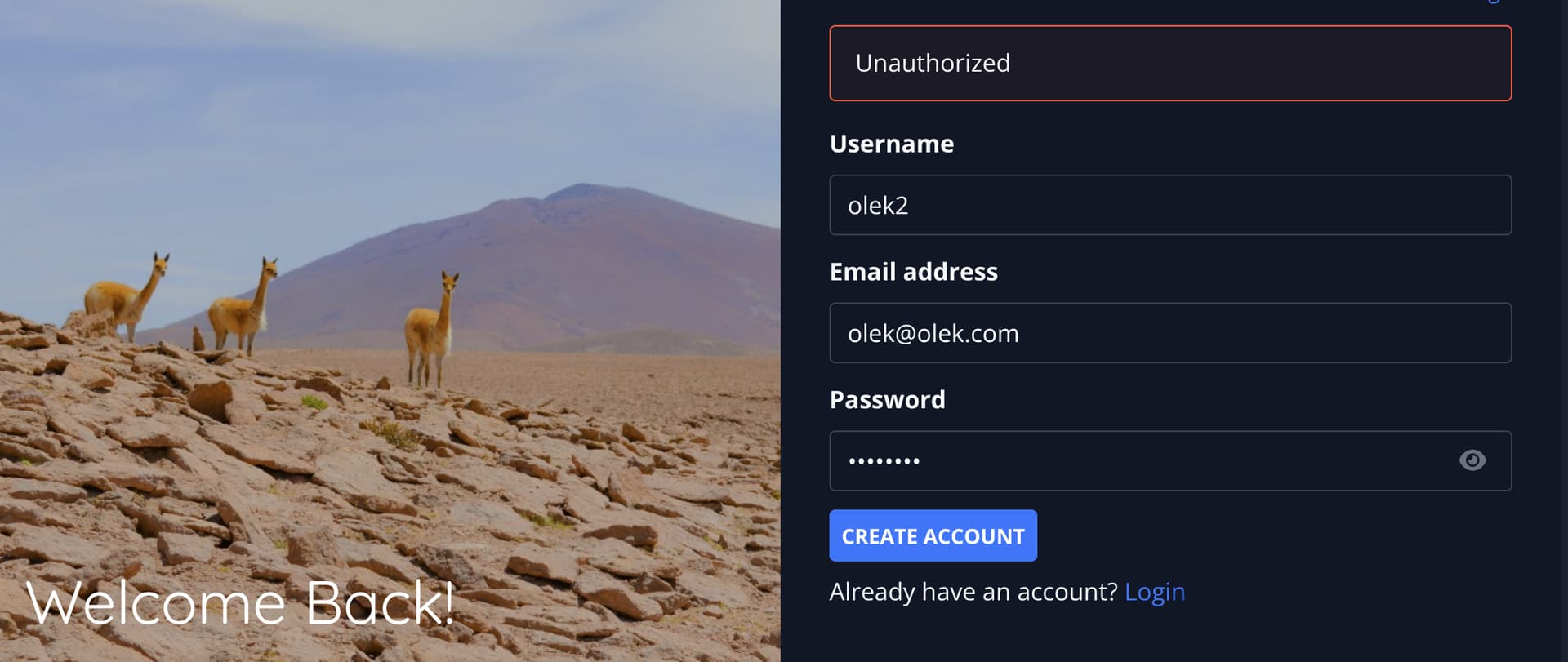
Hi, after updating my vikunja instance with:
docker compose pull and running docker compose up -d --force-recreate
I am getting following error upon login. “Unauthorized” (see screenshot below, cant upload two)
I inspected the logs and I can’t see anything significant:
db-1 has been recreated
db-1 |
db-1 | PostgreSQL Database directory appears to contain a database; Skipping initialization
db-1 |
db-1 | 2025-09-03 18:40:04.258 UTC [1] LOG: starting PostgreSQL 17.6 (Debian 17.6-1.pgdg13+1) on x86_64-pc-linux-gnu, compiled by gcc (Debian 14.2.0-19) 14.2.0, 64-bit
db-1 | 2025-09-03 18:40:04.259 UTC [1] LOG: listening on IPv4 address "0.0.0.0", port 5432
db-1 | 2025-09-03 18:40:04.259 UTC [1] LOG: listening on IPv6 address "::", port 5432
db-1 | 2025-09-03 18:40:04.265 UTC [1] LOG: listening on Unix socket "/var/run/postgresql/.s.PGSQL.5432"
db-1 | 2025-09-03 18:40:04.287 UTC [28] LOG: database system was shut down at 2025-09-03 18:40:02 UTC
db-1 | 2025-09-03 18:40:04.329 UTC [1] LOG: database system is ready to accept connections
vikunja-1 | time=2025-09-03T18:40:10.039Z level=INFO msg="No config file found, using default or config from environment variables."
vikunja-1 | time=2025-09-03T18:40:10.043Z level=INFO msg="Running migrations…"
vikunja-1 | time=2025-09-03T18:40:10.352Z level=INFO msg="Ran all migrations successfully."
vikunja-1 | time=2025-09-03T18:40:10.361Z level=INFO msg="Mailer is disabled, not sending reminders per mail"
vikunja-1 | time=2025-09-03T18:40:10.361Z level=INFO msg="Mailer is disabled, not sending overdue per mail"
vikunja-1 | time=2025-09-03T18:40:10.362Z level=INFO msg="Vikunja version v1.0.0-rc1"
vikunja-1 | ⇨ http server started on [::]:3456
vikunja-1 | time=2025-09-03T18:42:09.719Z level=INFO msg="POST /api/v1/login" component=http status=401 remote_ip=82.32.154.223 latency=17.659629ms user_agent="Mozilla/5.0 (X11; Linux x86_64) AppleWebKit/537.36 (KHTML, like Gecko) Chrome/138.0.0.0 Safari/537.36"
More over even when I try to register a new user I get the same unauthorized error:
It’s very cryptic and I cannot find the root cause.
Lastly I loaded my backup PG dump like so:
docker cp /mnt/hdd/vikunja/postgres-backup.sql vikunja-db-1:/tmp/backup.sql
docker compose exec db psql -U vikunja -d vikunja -f /tmp/backup.sql
My docker compose file:
services:
  vikunja:
    image: vikunja/vikunja
    environment:
      #VIKUNJA_SERVICE_PUBLICURL: http://<the public ip or host where Vikunja is reachable>
      VIKUNJA_DATABASE_HOST: db
      VIKUNJA_DATABASE_PASSWORD: changeme
      VIKUNJA_DATABASE_TYPE: postgres
      VIKUNJA_DATABASE_USER: vikunja
      VIKUNJA_DATABASE_DATABASE: vikunja
      VIKUNJA_SERVICE_JWTSECRET: SUPERSECURE
      VIKUNJA_SERVICE_ENABLEREGISTRATION: true
      VIKUNJA_BACKGROUNDS_ENABLED: true
      VIKUNJA_BACKGROUNDS_PROVIDERS_UNSPLASH_ENABLED: true
      VIKUNJA_BACKGROUNDS_PROVIDERS_UNSPLASH_ACCESSTOKEN: ....
      VIKUNJA_BACKGROUNDS_PROVIDERS_UNSPLASH_APPLICATIONID: ....
    ports:
      - 3456:3456
    volumes:
      - /mnt/hdd/vikunja/files:/app/vikunja/files
    depends_on:
      db:
        condition: service_healthy
    restart: unless-stopped
  db:
    image: postgres:17
    environment:
      POSTGRES_PASSWORD: changeme
      POSTGRES_USER: vikunja
    volumes:
      - ./db:/var/lib/postgresql/data
    restart: unless-stopped
    healthcheck:
      test: ["CMD-SHELL", "pg_isready -h localhost -U $$POSTGRES_USER"]
      interval: 2s
      start_period: 30s
Happy to share any logs or dumps to pinpoint the issue.
OK, as others have mentioned in other threads, freezing version to vikunja/vikunja:0.24.6 solves the issue.
Please fix, and highlight in release notes that upgrading to 1.0 requires changing docker compose envs.
You need use in your docker yaml. After that it will work.
VIKUNJA_SERVICE_PUBLICURL: http://<the public url where Vikunja is reachable>
that did not solve my problem. 0.24.6 works.
Hello,
I had the same problem with a fresh install with docker compose. As far as I know, it’s due to 401 error when the API is being accessed with the register action, which is probably because the API URL is wrong
Turns out changing the public URL in the docker compose file followed by the right port (http://:3456) + docker-compose up –force-reinstall solved the issue for me
Hope this helps